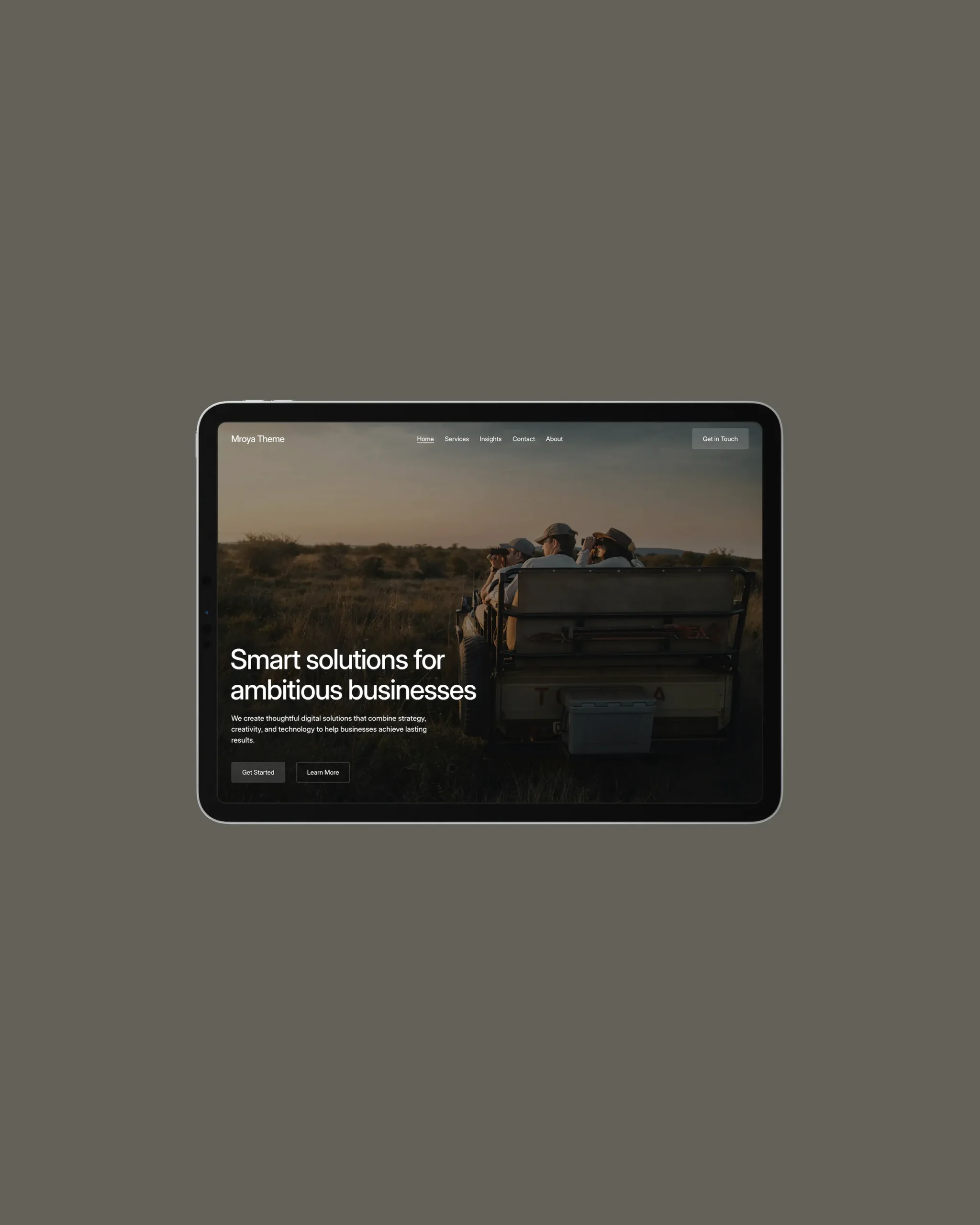
After almost a year of development, I’m excited to introduce Mroya 2.0 – a new version of a project I’ve been working on for quite some time. This is more than just another WordPress theme update. It’s a fresh start and a new approach to how the whole project is built and developed.
Over the years, I’ve learned that a good WordPress theme should be lightweight, easy to understand, and well-structured. The simpler and more thoughtful the code, the less it affects website performance and the easier it is to maintain and improve over time. These are the principles I’ve always tried to follow in my work.
At the same time, I understand that building a product for today’s WordPress market takes more than just clean code. It also needs to offer flexibility, useful features, and enough variety to give users a reason to choose it.
That’s what inspired the new direction for Mroya. I wanted to bring together two things that don’t always go hand in hand: a lightweight, straightforward foundation and a flexible set of features that can grow over time.
Instead of adding more and more functionality to a single theme, I decided to split the project into several independent but connected parts. This keeps the core theme lightweight while allowing new features and designs to be developed separately, without adding unnecessary code to the main product.
In this article, I’d like to walk you through the new structure, introduce its main components, share what’s coming next, and explain what these changes mean for users of the previous version.
Meet Mroya
Mroya is a modern WordPress block theme built around Full Site Editing (FSE). It gives you the freedom to build and customize almost every part of your website directly in the WordPress editor, without relying on third-party page builders.
The main goal has always been to make website creation simpler, more flexible, and more enjoyable. That’s why I’ve put a lot of thought into the theme’s structure, reusable components, and the ability to adapt ready-made solutions to different needs.
Mroya now consists of three main components: a parent theme, a companion plugin, and child themes. Each has its own purpose, but together they create a flexible system that can grow and adapt to different types of websites.
1. Mroya Theme
The Mroya parent theme provides everything you need to build a modern business website. It comes with ready-to-use page templates, a collection of reusable block patterns, and flexible design settings.
Since the theme is built entirely with standard WordPress blocks, you can easily edit your content, change page layouts, and create your own designs without installing additional page builders.
Throughout development, I paid special attention to clean and well-organized code, performance, responsive layouts, and accessibility. The result is a lightweight and versatile foundation for company websites, agencies, studios, and other business projects.
One of the key ideas behind the new version is to keep the parent theme focused on the essentials. It provides the basic tools needed to build a website without being tied to a specific design or niche. Features and functionality made for more specific purposes can now live in separate child themes.
Mroya Theme is free to use and serves as the foundation for all other parts of the project.
2. Mroya Premium
For those who want to add modern animations and interactive effects to their websites, I’ve created a separate companion plugin called Mroya Premium.
Its main purpose is to extend the parent theme with GSAP-powered animations and smooth scrolling using Lenis Scroll. It provides tools for creating smooth transitions, scroll-triggered animations, and other interactive effects that make a website feel more dynamic and engaging.
I deliberately decided to keep this functionality in a separate plugin rather than bundle additional libraries and effects directly into the parent theme. This helps keep the core theme lightweight and independent of optional tools, while allowing users to decide whether they need these extra features.
Mroya Premium will continue to grow over time. I plan to expand its animation library, introduce new effects, and improve existing features. A plugin subscription also includes access to updates, bringing bug fixes, improvements, and new functionality as the plugin develops.
Another benefit of Mroya Premium is priority support. Free products, including the parent theme and free child themes, receive standard support through WordPress.org. Premium users get priority email support, along with help installing and configuring the products whenever needed.
3. Mroya Studio
One of the biggest changes in the new version is the move from a single theme to a system built around a parent theme and child themes. The first example of this approach is Mroya Studio.
Mroya Studio is a fully designed child theme with its own visual style, additional block patterns, and ready-to-use layouts. It builds on the Mroya parent theme, extending its features and giving your website a completely different look.
But why move an existing design into a separate child theme in the first place?
In the previous version of Mroya, some features, including portfolio functionality and related design elements, were built directly into the parent theme. This worked well when there was only one design to maintain. However, as I started planning new child themes, it became clear that this approach would create unnecessary limitations.
For example, if a new design didn’t need portfolio functionality, the parent theme would still have to include it. The child theme would then need to disable or override those features. Over time, this would lead to more unnecessary code and make the whole project harder to maintain.
That’s why I decided to rethink the architecture and move the previous design and its specific functionality into Mroya Studio. The parent theme now focuses on the essentials, while each child theme can have its own patterns, styles, and additional features.
This makes it much easier to create new designs on top of the same foundation, without adding unnecessary features to the parent theme or making individual child themes depend on one another.
An Important Note for Existing Users
I understand that these changes may cause some inconvenience for those who are already using Mroya on their websites. So I’d like to explain what the transition to the new structure involves.
If you’d like to continue using Mroya and benefit from future updates, you’ll need to download and install the Mroya Studio child theme, activate it, and configure your website’s appearance again.
If you’ve made custom changes directly to the files of the previous theme, those changes will also need to be moved to the corresponding files in the new structure. Unfortunately, this process cannot be fully automated.
However, I don’t want anyone to think that the previous version has stopped working or is no longer compatible with current WordPress standards. That’s not the case. It remains a fully functional theme, and you can continue using it just as you do now.
If you’re happy with your current setup and don’t need the new architecture or future updates, you don’t have to do anything.
I sincerely apologize for any inconvenience this transition may cause, and I’m grateful to everyone who has already chosen Mroya and followed its development. I believe this new structure will make the project easier to maintain and give us much more room to grow in the future.
What’s Next?
The release of Mroya 2.0 is not the end of the journey. It’s the beginning of a new chapter.
I’ll continue improving the parent theme, expanding the Mroya Premium animation library, adding new effects, and making existing tools even better.
Another important part of the roadmap is the development of new child themes with different designs and ready-made solutions for various types of websites. Thanks to the new architecture, each design can evolve independently while remaining compatible with the same core foundation.
My goal is to gradually build a flexible ecosystem where users can choose the design and tools they actually need, without paying for features they may never use.
Get Started with Mroya
All the components of the new version are ready and will be available for download very soon.
You can start with the free Mroya parent theme, extend it with Mroya Premium, or choose a ready-to-use design with Mroya Studio.
And if you’d rather build something of your own, I’ll also be providing a starter child theme. It comes with a ready-made structure and all the basic files you need to start developing your own designs, block patterns, and additional features. Simply download it, install it, and start building.
Thank you to everyone who follows Mroya, uses my products, and supports my work. I’m really happy to finally share this new version with you, and I hope Mroya will become a useful and reliable tool for building modern WordPress websites.
Leave a Reply